

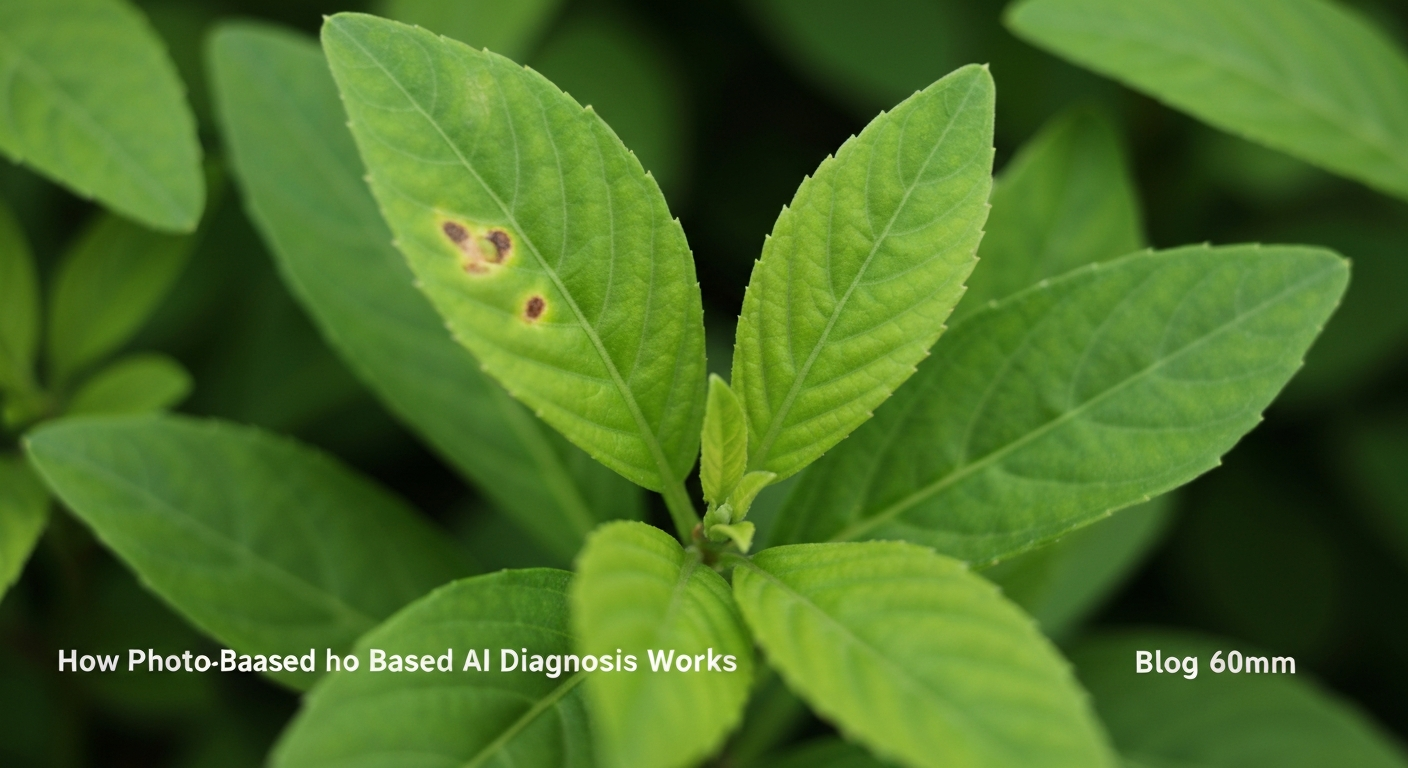
When a favorite houseplant develops spots overnight or a tomato row yellows from the bottom up, most US gardeners reach for their phone before they reach for a field guide. A plant disease identifier bridges that gap: you photograph affected tissue, and software compares visible patterns against thousands of labeled disease images. The result is not a laboratory diagnosis, but a fast, structured starting point that helps you avoid treating sun scorch with fungicide or drowning a plant that already has root rot.
Understanding how these tools work—and where they fail—saves time, money, and plants. This guide explains what gardeners mean by a plant disease identifier, how photo-based AI analyzes leaves and stems, when to trust the output, and how to pair app results with hands-on checks. Whether you grow roses in Ohio, citrus in Florida, or pothos in a Brooklyn apartment, the same principles apply: good photos, honest context, and follow-up observation.
Why accurate identification matters before you treat
Misidentification is expensive. Fungicides do nothing for spider mite stippling. Extra water worsens root rot. Copper sprays applied to viral mosaic only stress the plant further. Search volume for plant disease identifier reflects real frustration: people want a name for the problem so they can choose the right response in the first 48 hours.
Accurate identification also affects neighbors. Powdery mildew on one cucumber trellis can spread to squash down the row. Black spot on a single rose bush can rain spores onto climbers six feet away. Knowing whether you face a fungus, bacterium, virus, or cultural stress determines whether you isolate, prune, spray, or simply adjust watering. For a broader overview of pathogen types, see our guide to plant disease categories and first-response steps.
What a plant disease identifier actually does
At its core, a plant disease identifier is a pattern-matching system trained on images where experts have already labeled the condition. When you upload a photo, the model looks for combinations of color, texture, lesion shape, margin patterns, and sometimes leaf venation—features humans use unconsciously when flipping through extension bulletins.
Most apps return:
- One or more probable diseases ranked by confidence
- Symptom descriptions so you can compare your plant side by side
- Treatment suggestions ranging from cultural fixes to labeled fungicides
- Prevention tips such as spacing, watering timing, or resistant varieties
The tool does not replace a plant pathologist or county extension agent for commercial crops, certification, or legal disputes. It excels at home-scale triage: narrowing fifty possibilities to three likely ones before you buy products or rip out healthy tissue.
How photo-based AI diagnosis works step by step
Modern plant disease identifier apps follow a predictable pipeline:
Capture. The model can only analyze what the camera sees. Fill the frame with the affected leaf or stem section, not the whole patio. Hold the phone steady; blur destroys fine detail like septoria’s tiny black dots.
Preprocessing. Software may auto-crop, adjust contrast, or reject images that are too dark, too small, or lacking plant tissue.
Feature extraction. Neural networks convert pixels into mathematical patterns associated with training labels—target rings for early blight, powdery white patches for mildew, dark rose lesions with yellow halos for black spot.
Classification. The model outputs probabilities across disease classes it was trained on. Low confidence often means atypical symptoms, mixed problems, or a species the model rarely saw.
Explanation layer. Good apps translate probabilities into plain English: what to do today, what to watch this week, when to escalate to a human expert.
Accuracy improves when your photo matches how trainers photographed diseases: side lighting, in-focus margins, and both healthy and sick tissue in one frame for scale.
Symptoms the camera can and cannot see
Photo AI is strongest on surface symptoms: leaf spots, powdery coatings, rust pustules, anthracnose lesions, some blights, and obvious rose black spot. It is weaker when the real problem is underground or invisible.
| Visible in photos | Harder for photos alone |
|---|---|
| Leaf spots, halos, rings | Root rot (need root inspection) |
| Powdery or downy mildew patches | Nutrient deficiencies (need soil history) |
| Rust and many fungal fruiting signs | Drought stress (need moisture check) |
| Some bacterial water-soaked areas | Pests (need underside inspection) |
| Mosaic patterns suggesting virus | Heat scorch vs. disease (need sun exposure context) |
Always pair app output with the S.C.O.U.T. method from our diagnosis article: symptoms, context, organism check, underground inspection, and test your hypothesis for a week.
Causes of “wrong” identifications
Even excellent models mislabel when:
- Lighting is poor — Indoor yellow cast or harsh noon sun washes out halos.
- Multiple problems overlap — Mites plus fungal leaf spot on the same leaf confuse feature extraction.
- The plant species is uncommon in training data — Rare cultivars may map to the nearest look-alike.
- Early or late stage symptoms — A day-one bacterial spot looks different from a week-old necrotic crater.
- Abiotic damage mimics disease — Salt burn, fertilizer splash, and cold damage create spots without pathogens.
Treat low-confidence results as a prompt to gather more evidence, not as gospel.
Diagnosis workflow: combining the app with your eyes
Use this sequence every time:
- Photograph the worst single leaf plus one mildly affected leaf for comparison.
- Run the plant disease identifier and read all suggested matches, not only the top one.
- Verify environment — soil moisture, pot drainage, recent repot, heat wave, new fertilizer.
- Flip leaves — silk webbing, aphid clusters, and scale bumps rule out pure fungus.
- Check roots if wilting persists with wet soil (see root rot guide).
- Choose treatment aligned with the leading hypothesis; mark the calendar to reassess in seven days.
If symptoms spread despite correct cultural care, reshoot photos at the new stage and compare again.
Organic and cultural responses after identification
Most home outbreaks respond first to sanitation and environment, not chemicals:
- Remove the worst 20–30% of infected foliage with clean, sharp tools.
- Improve airflow—stake tomatoes, thin rose interiors, space houseplants.
- Water at soil level in the morning so leaves dry before night.
- Avoid composting clearly infected material in small home piles.
- Rotate crop families in vegetable beds annually.
Organic fungicides such as sulfur, copper (where label allows), bicarbonate sprays, and horticultural oils can help after you confirm a fungal issue and read the label for your specific plant.
When chemical treatment is appropriate
Chemical fungicides make sense when:
- High-value plants (roses, fruit trees) face defoliation in wet springs
- Vegetable foliage loss threatens the harvest window
- Organic rotations failed and the label matches both pathogen and plant type
Always follow EPA label directions for rate, interval, pre-harvest days, and protective equipment. Rotate modes of action to reduce resistance—especially for tomatoes and roses where repeated single-ingredient sprays fail over seasons.
Prevention calendar for repeat gardeners
| Season | Task |
|---|---|
| Late winter | Prune congested rose and fruit wood; rake last year’s debris |
| Spring planting | Choose resistant cultivars; mulch soil under tomatoes |
| Summer | Scout weekly; photograph new spots early |
| Fall | Clean beds; do not compost infected rose leaves |
| Indoors year-round | Quarantine new plants two weeks; match water to light levels |
Photograph healthy baseline leaves in June so July spots are easier to compare in the app.
Mistakes to avoid with plant disease identifier apps
- Treating from a blurry distant shot — Zoom to lesions.
- Ignoring confidence scores — Low confidence demands more checks.
- Spraying before removing infected tissue — Debris reinfects constantly.
- Using one photo for months — Symptoms evolve; reshoot.
- Skipping pest inspection — Not every spot is fungal.
- Assuming AI replaces lab tests — Commercial growers need official diagnostics.
Using the Plant Disease Identifier app on iPhone
The Plant Disease Identifier app is built for quick field and windowsill use. After installing from the App Store:
- Open the app and select Identify or the camera entry point.
- Photograph affected leaves in indirect daylight; include healthy tissue for contrast.
- Review ranked matches and read care steps for each suggestion.
- Save results to compare progress after treatment.
- Re-scan if spots spread or change appearance.
Use it as the first chapter of diagnosis, then confirm with soil moisture, roots, and pest checks described in our how to diagnose plant problems guide.
Next reads: deepen your foundation with plant disease types and first response, or walk through hands-on diagnose plant problems steps before you spray.